View histories side-by-side
This FAQ demonstrates how to view histories side-by-sde Anton Nekrutenko
You can view multiple Galaxy histories at once. This allows to better understand your analyses and also makes it possible to drag datasets between histories. This is called “History multiview”. The multiview can be enabled either view History menu or via the Activity Bar:
-
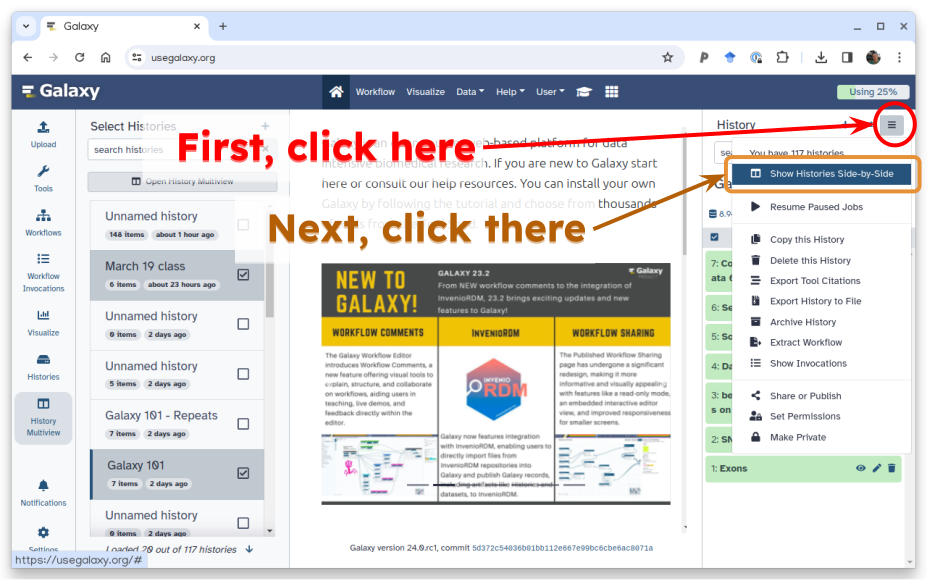
Option 1: Enabling Multiview via History menu is done by first clicking on the galaxy-history-options “History options” drop-down and selecting galaxy-multihistory “Show Histories Side-by-Side option”:
-
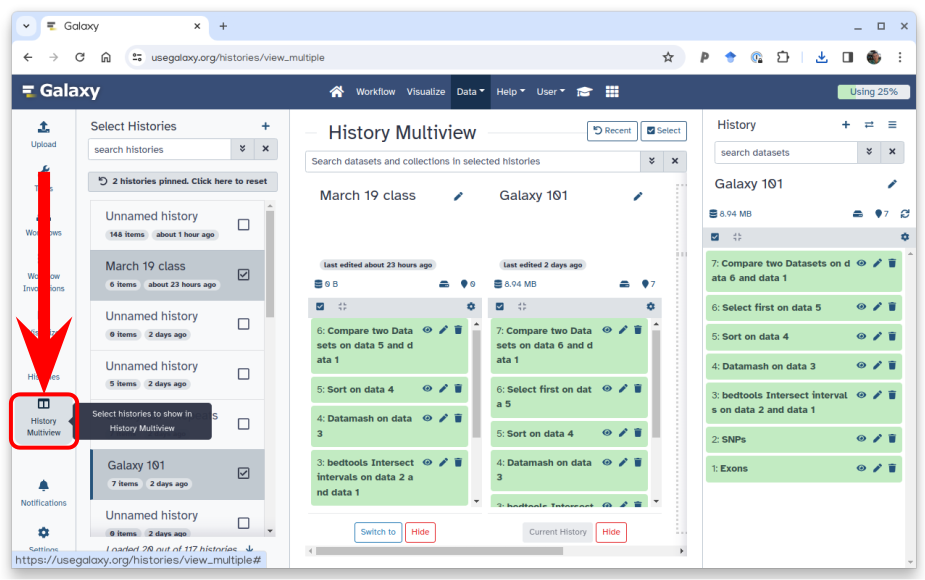
Option 2: Clicking the galaxy-multihistory “History Multiview” button within the Activity Bar:
Persistent URL
Resource purlPURL: https://gxy.io/GTN:F00394Still have questions?
Gitter Chat Support
Galaxy Help Forum