Creating a paired collection
Authors: 
 Saskia Hiltemann
 Helena Rasche
 Lucille Delisle
 Pavankumar Videm
 Tristan Reynoldshall-of-fameAdd Contributions!
Saskia Hiltemann
Helena Rasche
Lucille Delisle
Pavankumar Videm
Tristan Reynoldshall-of-fameAdd Contributions!- Click on galaxy-selector Select Items at the top of the history panel
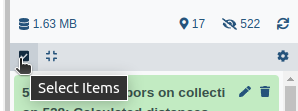
- Check all the datasets in your history you would like to include
-
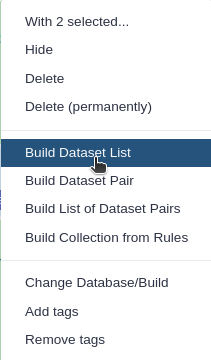
Click n of N selected (or All N selected if you checked every item) and choose Advanced Build List
-
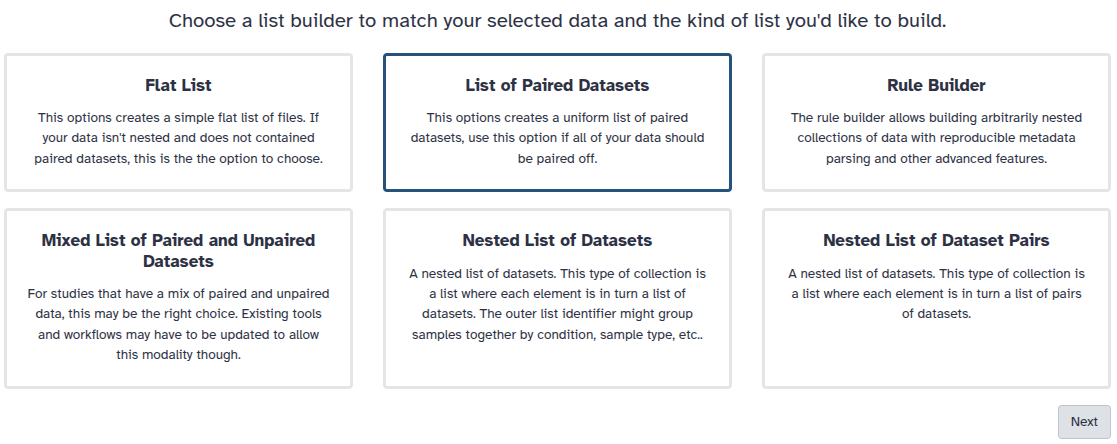
You are in the collection building wizard. Choose List of Paired Datasets and click ‘Next’ button at the right bottom corner.
-
Check and configure auto-pairing. Commonly matepairs have suffix
_1and_2or_R1and_R2. Click on ‘Next’ at the bottom.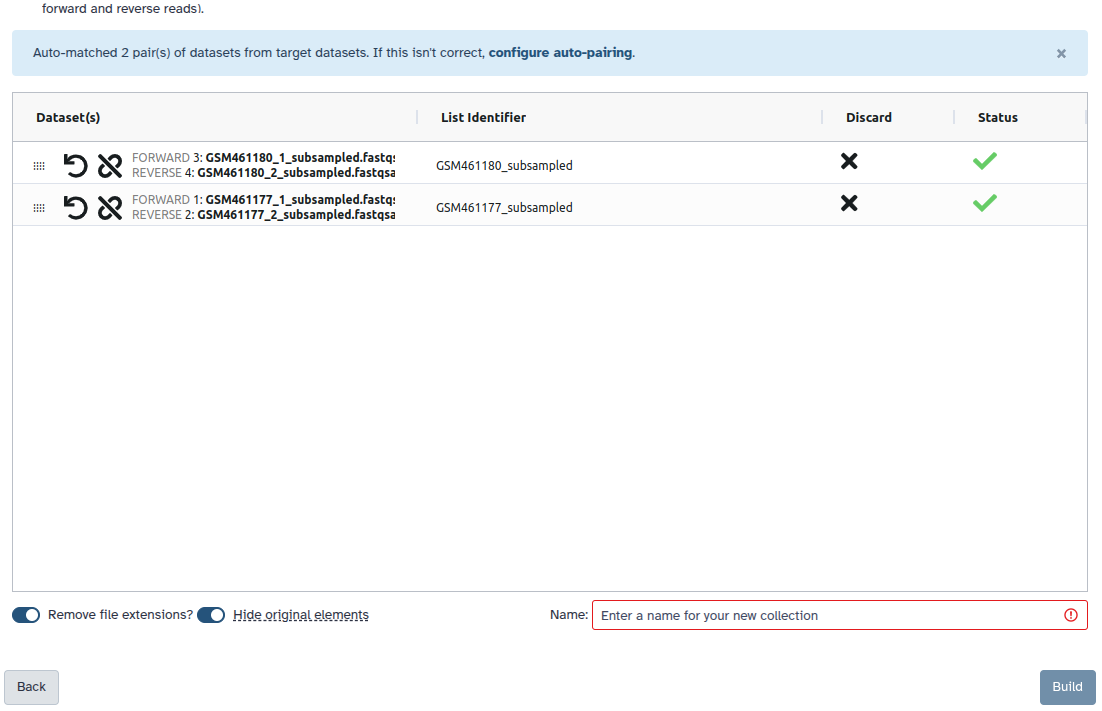
- Edit the List Identifier as required by double-clicking its cell.
- Enter a name for your collection
- Click Build to build your collection
- Click on the checkmark icon at the top of your history again
Once the collection is created, the original datasets are hidden (Hide original elements is on by default). Click the galaxy-show-hidden hidden items counter at the top of the history panel to show them.
Persistent URL
Resource purlPURL: https://gxy.io/GTN:F00018Still have questions?
Gitter Chat Support
Galaxy Help Forum